
The Yahoo Credit Card has been rebranded as the PayPay Card. If you're wondering what has changed with this transition or if there are any downsides, you're not alone.
This article will cover everything you need to know about the PayPay Card, including its benefits, how it differs from the Yahoo Credit Card, and more. By the end, you'll have a clear understanding of whether the PayPay Card is right for you.


・The Yahoo Credit Card is now the PayPay Card
・Three benefits of the PayPay Card (formerly the Yahoo Credit Card)
・Three drawbacks of the PayPay Card (formerly the Yahoo Credit Card)
・Eligibility requirements for the PayPay Card (formerly the Yahoo Credit Card)
・How to apply for the PayPay Card (formerly the Yahoo Credit Card)
・Application review process for the PayPay Card (formerly the Yahoo Credit Card)
・Important points to note about the PayPay Card (formerly the Yahoo Credit Card)
・Fees and interest rates of the PayPay Card (formerly the Yahoo Credit Card)
・Differences between the PayPay Card and the Yahoo Credit Card
・Reputation and user reviews of the PayPay Card (formerly the Yahoo Credit Card)
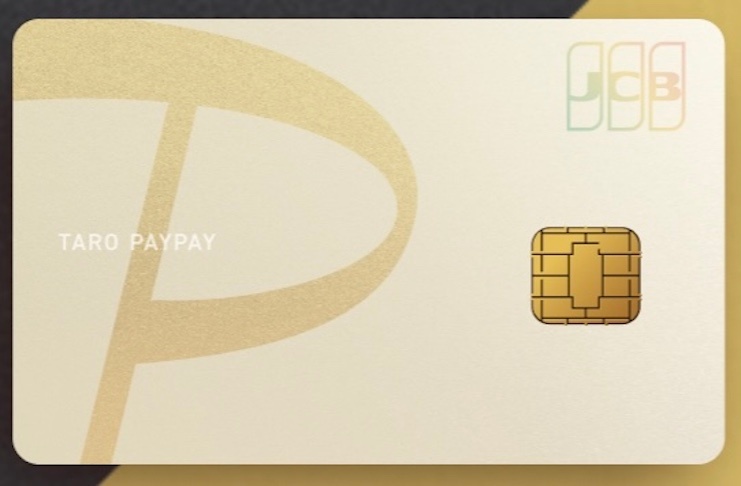
The Yahoo Credit Card is Now the PayPay Card
To further grow its financial business, Yahoo has strengthened its partnership with PayPay and rebranded both its company and services under the PayPay name. As a result, anyone currently holding a Yahoo Credit Card will have their card switched to a PayPay Card.
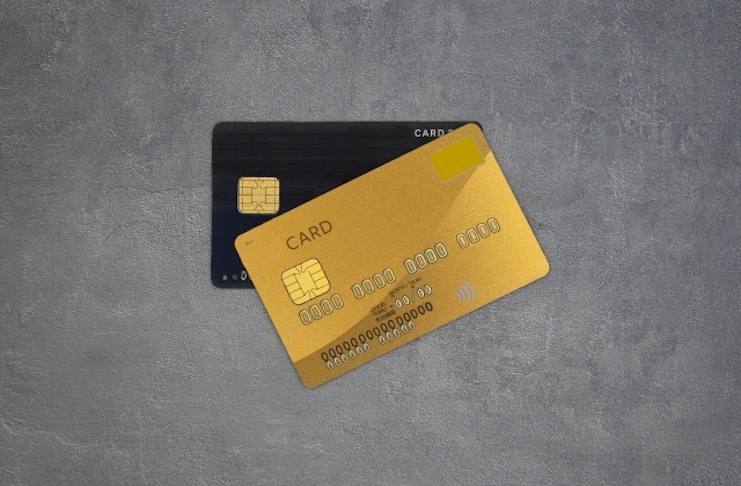
Along with the name change, there are a few other updates to note. First, the new card will be numberless, so your credit card number will no longer be printed on the card itself. To check your card number, you’ll need to access the member-only website.
Existing rewards have also switched to PayPay Bonus points, which can’t be withdrawn as cash or transferred to others. After completing the necessary procedures, you can use these bonuses at stores that accept PayPay. There’s no need for cardholders to apply for the card change or take any special action themselves.
Three Benefits of the PayPay Card (Formerly Yahoo Credit Card)
Now that it’s become the PayPay Card, there are new advantages that are different from when it was the Yahoo Credit Card. Let’s take a look at these benefits and see if the card fits your needs.

If you use PayPay often, you’ll especially want to check out these perks, as there are special rewards just for you.
Direct Top-Ups to PayPay
Since PayPay uses barcode payments, you need to add funds to your account. While you can link and pay with other cards, the only card you can use to top up PayPay directly is the PayPay Card. Plus, if you use your PayPay Card for credit card payments, you’ll earn points, making it a better deal compared to using other credit cards.
Earn More Points with a Cashback Rate of 1% or Higher
The PayPay Card is an annual fee-free credit card that offers a generous 1% cashback rate. Since most credit cards typically have a 0.5% cashback rate, this makes the PayPay Card a high-value option. Plus, when you shop on Yahoo! Shopping or LOHACO using your PayPay Card, you can earn up to 3% cashback, allowing you to rack up points even faster.
Numberless Design with Exceptional Style
The PayPay Card doesn’t have any card numbers printed on its surface, giving it a sleek and stylish look with an outstanding design. Plus, since there's no visible card number, the risk of unauthorized use is reduced if your card is lost or someone tries to peek at your details.
3 Disadvantages of the PayPay Card (Formerly Yahoo Credit Card)
Before you start using the PayPay Card, it's important to be aware of not just its advantages but its disadvantages as well. Make sure you check these points carefully to avoid any regrets after getting the card.

There are some changes from the Yahoo Card, so even if you plan to continue using it, make sure to review the latest information.
Lower Cashback Rates on Amazon and Rakuten
The PayPay Card offers a basic cashback rate of 1%, so even for ordinary shopping, the rate isn’t especially low. However, if you shop on sites like Yahoo! Shopping, the cashback increases to 3%. On the other hand, if you shop on Rakuten or Amazon, the rate remains at just 1%. So if you frequently shop at these stores, you might get more value from another card.
Not Prestigious
The PayPay Card offers a Gold Card with premium benefits, but it doesn’t carry the kind of prestige that’s widely recognized. Although the annual fee is 11,000 yen, lounge access is limited to domestic airports and the overall perks aren’t as comprehensive as those offered by other companies.
No Overseas Travel Insurance Included
The PayPay Card does not come with overseas travel insurance or similar coverage. This means you won't be protected if any issues arise while shopping abroad or during your travels, so please be cautious. For reference, the previous version of the card did include such coverage, but it has been discontinued with the new PayPay Card, so don't get them confused.
Eligibility Requirements for the PayPay Card (formerly Yahoo Credit Card)
You can apply for a PayPay Card if you have a valid Yahoo! Japan ID and are at least 18 years old with a stable income. If you don't already have a Yahoo! Japan ID, registration is free, so make sure to create one first.
While the requirement is for applicants to be 18 or older with a stable income, students (excluding high school students) are also eligible to apply. In fact, it's not strictly limited to your own income—if your spouse or another family member has a stable income, you can still apply.
In other words, as long as you're over 18, homemakers and those working part-time or as casual staff can also apply, so the application is open to a wide range of people. However, please note that meeting these requirements does not guarantee that your application will be approved.
How to Apply for a PayPay Card (Formerly Yahoo Credit Card)
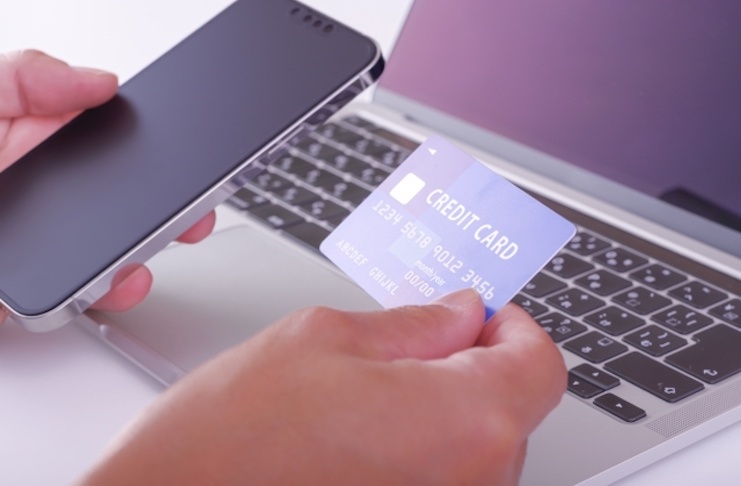
To apply for a PayPay Card, you'll first need to have a Yahoo! ID. If you already have one, you can proceed directly to the application form. Once you have your Yahoo! ID, simply follow the on-screen instructions and fill in all the required information. Since these details are needed for the review process, please make sure to enter them accurately.

Finally, review the information you've entered and, if everything is correct, submit your application. After that, your information will be reviewed and you just need to wait for the result notification.
1. Open the official website
2. Obtain a Yahoo! ID
3. Fill out the online application form
4. Review your information
5. Application review
PayPay Card (formerly Yahoo Credit Card) Screening Process
Because the PayPay Card is a retail-affiliated credit card, it's generally considered easier to get approved for compared to bank-issued or credit finance cards. This is mainly because retail-affiliated cards are more focused on encouraging customers to use their own services, so the approval process tends to be more lenient.

That said, it's not a guarantee that anyone can pass the screening. If you don't meet the minimum application requirements, your application will be rejected right away. These requirements are the bare minimum you need to qualify, so make sure you meet them before applying.
If you do meet the requirements but still feel unsure, it's a good idea to set your cash advance limit to zero when applying, and avoid applying for multiple cards at the same time.
Important Points to Note About the PayPay Card (formerly Yahoo Credit Card)
When applying for a PayPay Card, keep in mind that applications can only be made via smartphone. If you try to apply from a PC, you’ll just be shown a QR code and a URL for the smartphone site. Plus, you need to use a dedicated mobile browser site to apply, not an app.

Additionally, after your card is issued, you’ll need to use the dedicated site to view your card details. Since the card doesn’t have any information like the security code or card number printed on it, you’ll have to access the site each time you need that information.
Also, if you already have a Yahoo! Card, you can’t apply for a new PayPay Card. In that case, your card will be switched over rather than newly issued, so be aware of that. If you still want a brand new card, you’ll need to cancel your current one first.
PayPay Card (formerly Yahoo Credit Card): Fees and Interest Rates
The PayPay Card is a credit card with zero application and annual fees. You only pay for what you spend. The standard cashback rate is 1.0%, but it goes up to 3.0% when you shop on Yahoo! Shopping and some other affiliated services. This makes it a great option for frequent Yahoo! Shopping users.

The interest rate for installment payments ranges from 12.19% to 14.60%, while cash advances carry an interest rate of 18%. The same 18% rate applies to overseas cash advances as well.
・Application fee: ¥0
・Annual fee: ¥0
・Cashback rate: 1.0%–3.0%
・Installment payment interest: 12.19%–14.60%
・Cash advance interest: 18.0%
・Late payment penalty: 20.0%
Differences Between the PayPay Card and Yahoo Credit Card
The first thing you’ll notice when comparing the PayPay Card and the Yahoo! Credit Card is their design. The PayPay Card has a more stylish look because it doesn’t have the card number printed on the front.

Of course, there are a few other changes as well. For example, with the PayPay Card, you can now earn points when using PayPay, and you earn PayPay Points instead of T Points.
Also, the shopping insurance that used to come with the Yahoo! Credit Card is no longer available with the PayPay Card.
Reviews and Reputation of the PayPay Card (formerly Yahoo Credit Card)
The PayPay Card has received a lot of positive feedback as a convenient option for people who shop on Yahoo! Shopping. One of its biggest draws is that it’s a no-annual-fee credit card that offers a high 3% rewards rate.

However, since the switch to the new PayPay Card, some users have found it inconvenient that card numbers and other details are no longer printed on the card itself. Not being able to check your card number at a glance can definitely be a hassle.
There have also been reports of cards being suspended without warning, even by customers who always pay on time. That said, there are also people who have used the card for five years with no issues, so individual circumstances may vary.
Operating Company of PayPay Card (formerly Yahoo Credit Card)
The PayPay Card is operated by PayPay Card Corporation. The address is 1-3 Kioicho, Chiyoda-ku, Tokyo, Kioi Tower, Tokyo Garden Terrace Kioicho.

The call center phone number is 0570-09-8181. Please note that inquiries can generally only be made via the paid Navi Dial service.
Summary
With the introduction of the PayPay Card, it’s become an even more convenient credit card for PayPay users. If you want to rack up PayPay points and use your card to get the most value, we highly recommend applying for a PayPay Card.
Note: There are always risks involved when applying for a credit card. Be sure to review the terms and conditions carefully before applying.